
Fix GPS issues
If the recording panel at the bottom of the map shows No fix, your device has no usable position, and nothing is recorded until it gets one. Older versions of Geo Tracker show Waiting GPS instead.
Here are some tips to fix this issue.
1. Check the basics
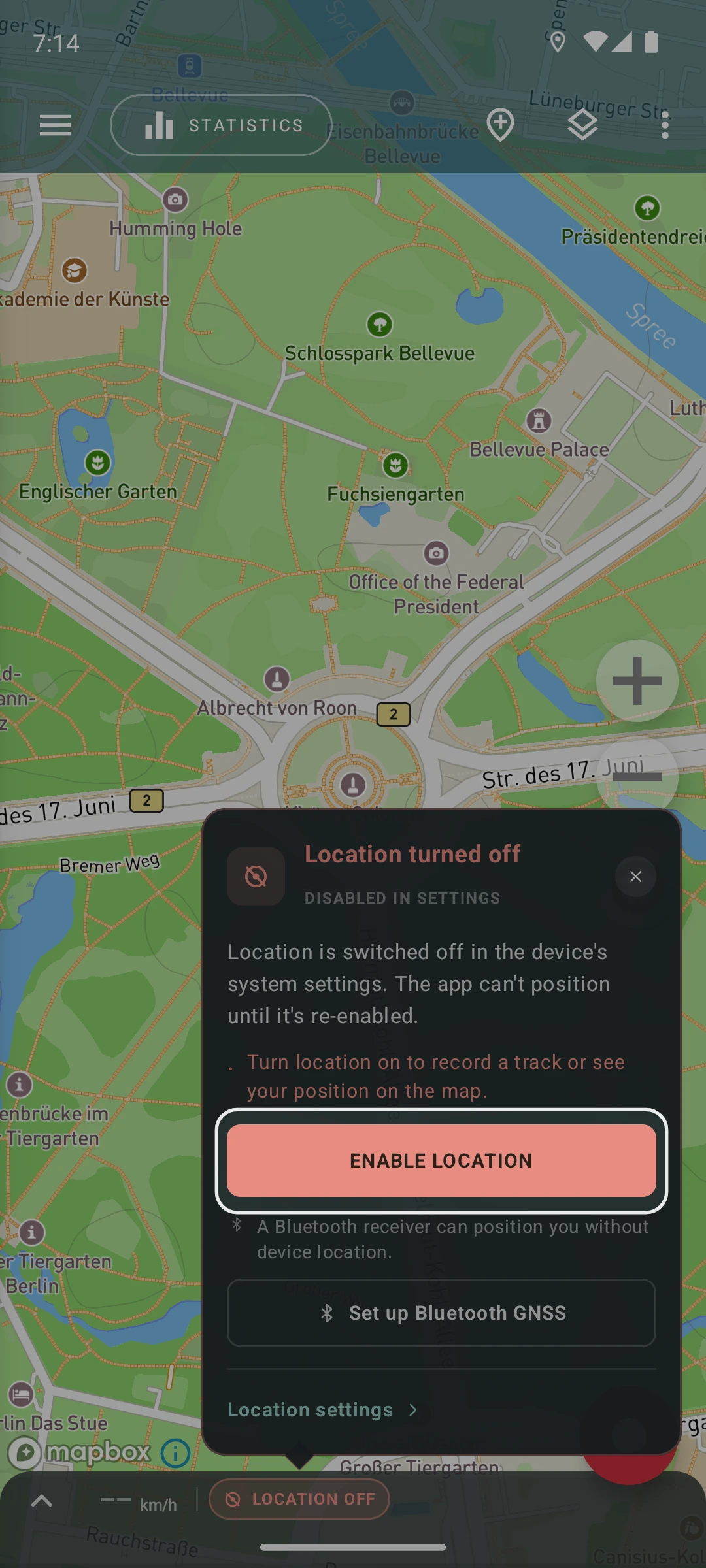
Section titled “1. Check the basics”- Make sure your device has location services turned ON. If they’re off, the panel shows Location off: tap it and choose Enable location.
- Ensure the app has permission to access your device’s location. You can find more details in the phone setup guide.
- Verify that your device has the correct date, time, and time zone settings. Wrong values here can affect communication with navigation satellites.
- Reboot your device.
2. Check the location popover
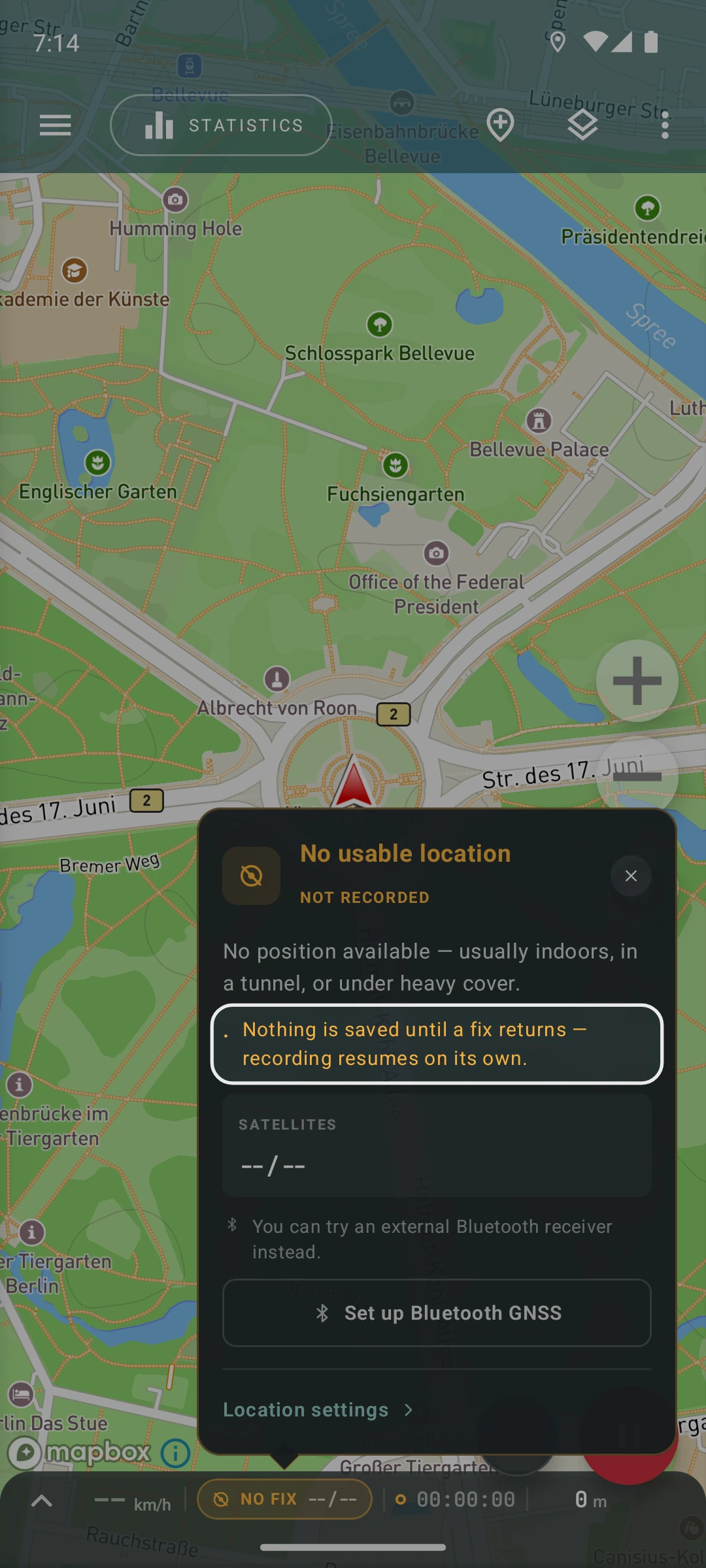
Section titled “2. Check the location popover”Tap the location status in the recording panel (for example No fix or GNSS) to open the location popover. It shows what’s wrong and what Geo Tracker does about it, for example No usable location with Nothing is saved until a fix returns — recording resumes on its own.
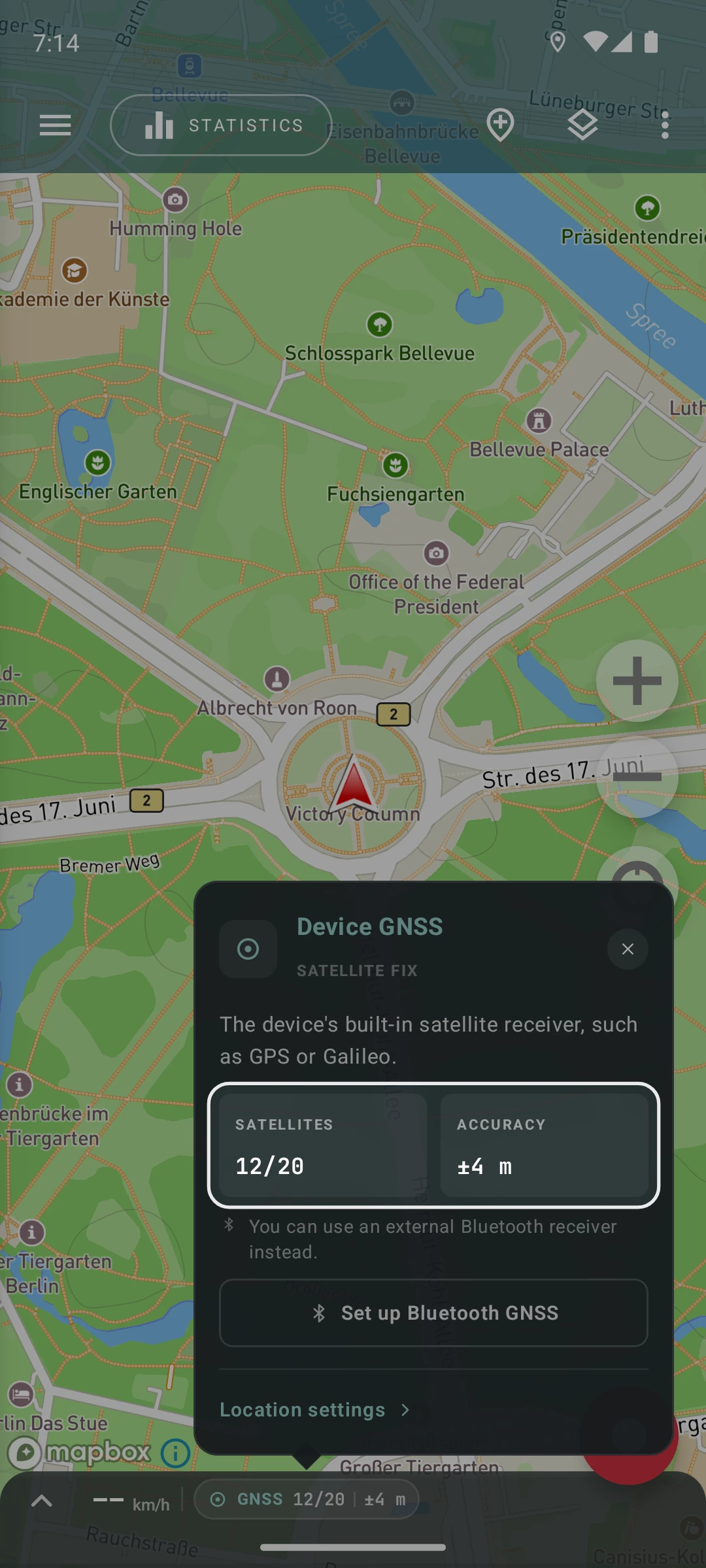
The Satellites tile shows how many satellites are used for the position and how many are visible, for example “12/20”. When there’s no fix, it usually shows ”--/--”. It can also show something like “2/35”: your device sees 35 satellites, but the 2 it receives aren’t enough to determine a position.
Your device’s satellite receiver needs at least 4 satellites in use to determine a position. That’s a minimum, not a guarantee: with a weak signal, it may need more before a fix appears.
Satellite counts from the built-in receiver are available only on Android. On iPhone, iOS doesn’t share satellite details with apps, so a good position shows as Fix without satellite counts. With an external Bluetooth GNSS receiver connected in Geo Tracker, satellite counts come straight from the receiver on both Android and iPhone.
Poor GPS signal reception often occurs when your device can’t see satellites well, like when you’re inside a building.
Indoors, your device may still find a position, but it’s often inaccurate and jumps around. Geo Tracker tries to filter out such jumps, but it can’t catch all of them: walls weaken and reflect satellite signals, and a wrong position can look just like real movement. So the track can show distance you never traveled. To keep your track accurate, pause or stop the recording before you go inside.
Weather conditions can also affect GPS reception.
Try turning your device off and on to improve the signal.
3. If the signal is weak
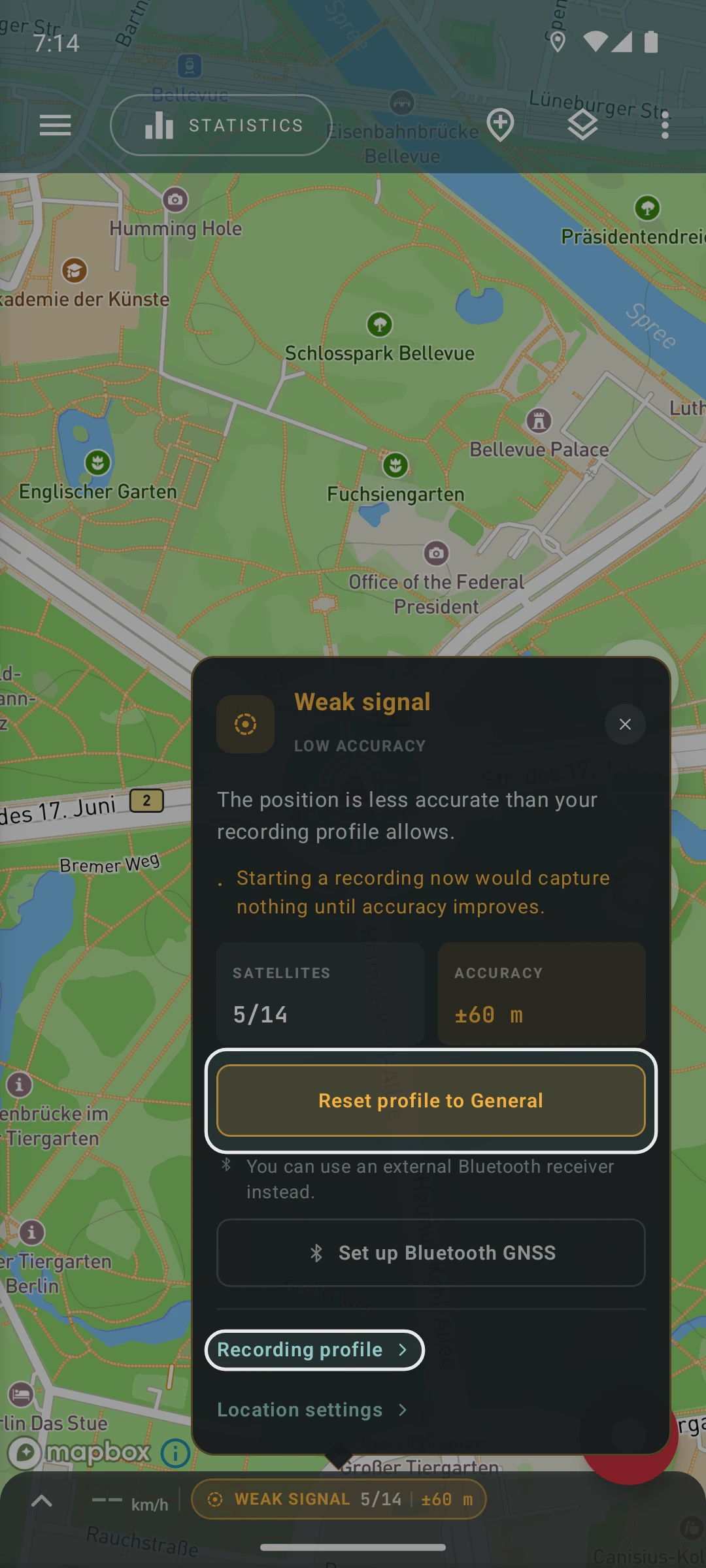
Section titled “3. If the signal is weak”If the panel shows Weak signal, your device has a position, but it’s too imprecise to record. The popover’s Accuracy tile shows the current accuracy.
Wait for a better signal, for example in a place with a clearer view of the sky.
On Android, your recording profile may also be too strict about accuracy. In that case, relax it:
- If you use a profile other than General, tap Reset profile to General in the popover.
- Or tap Recording profile in the popover and relax the GPS accuracy limit.
4. Reset A-GPS
Section titled “4. Reset A-GPS”If you can’t get a GPS signal for a while, try resetting the A-GPS data. This option is available only on Android. Here’s how:
- Open Geo Tracker
- Go to Settings → Location and, under Troubleshooting, choose Reset A-GPS data. In versions before 5.7.0, it’s in Settings → Record Settings.
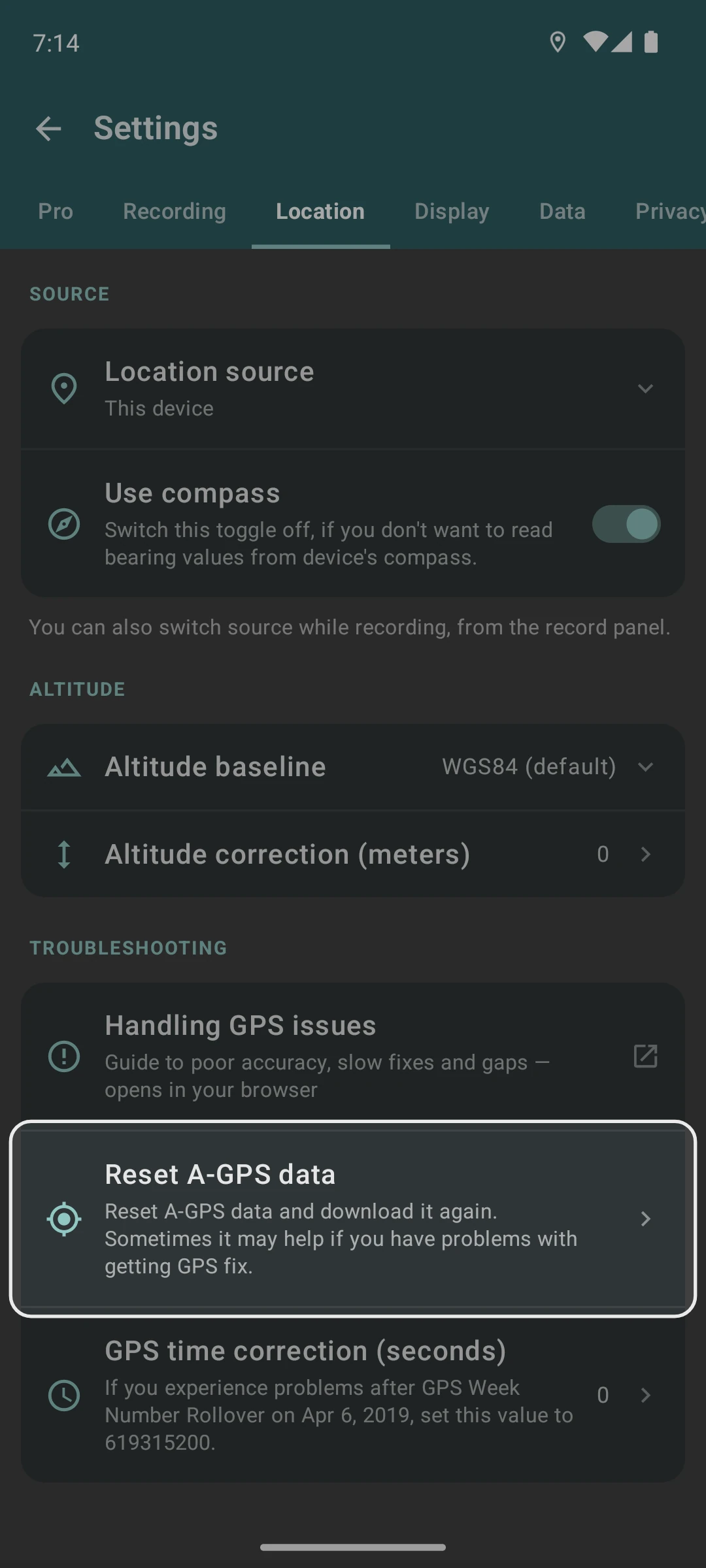
After doing this, your device might take a few minutes to figure out its location, especially if you’re in an area with no internet connection.
Once the satellites are fixed, communication with them will be quick.
5. Check with other GPS apps
Section titled “5. Check with other GPS apps”If the previous solutions don’t work on Android, try installing the GPS Test or GPS Status & Toolbox apps and use them to get your GPS signal working.
After that, open Geo Tracker again, and it should be able to detect the satellites.
6. Try an external receiver
Section titled “6. Try an external receiver”If your device’s built-in receiver keeps losing the signal, or your device has none, you can record with an external receiver instead. See Record with a Bluetooth GNSS receiver.
7. If happens only in background
Section titled “7. If happens only in background”If you start recording a track and see No fix in the recording notification after you minimize the app, it’s probably because your device’s power settings are causing issues.
Many devices like Xiaomi, Huawei, and Oppo save battery capacity by limiting background activities. These optimizations interfere with Geo Tracker’s proper operation.
To fix this, turn off battery optimization and power-saving mode in your device’s settings.
The exact steps depend on your device brand, and instructions are on the phone setup page.